
Important note:
Account activation is currently only available for following type of accounts
- employees of university's medicine (UMG)
- account application (guest users)
Once a user account has been set up for you at the University Computing Centre (either through the automatic data transfer for staff and students or following an account application), you can activate it yourself.
Provided the University Computing Centre has an external email address on file for you, you will be notified when your account is ready.
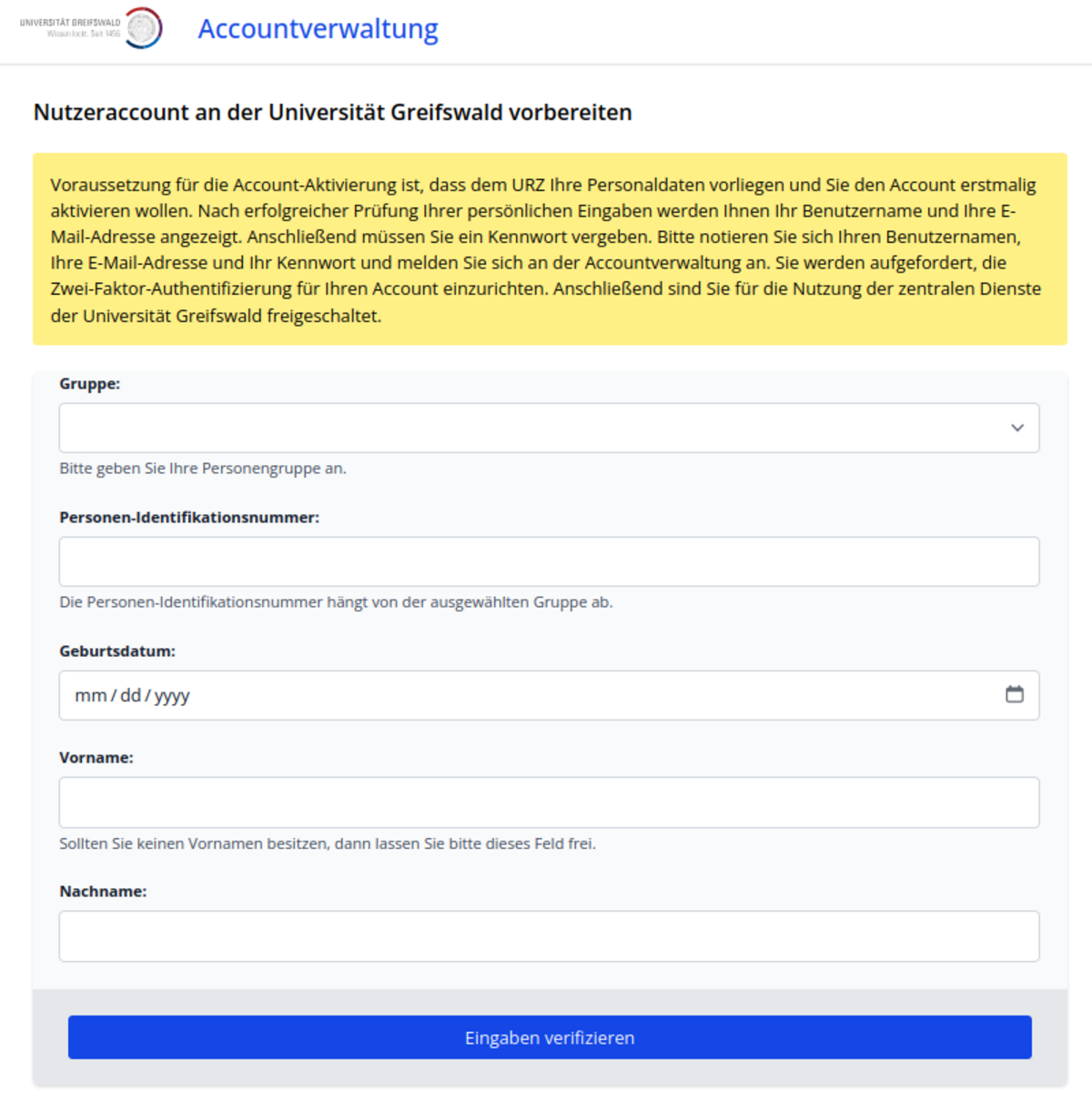
Open the account activation page and log in using the following details:
- Personal identification number
- Staff at the university: HIS number
- Students: Matriculation number
- Staff at the University Medical Centre: Staff number
- Account applications: Guest ID
- HIOH staff: HIOH ID
- Date of birth
- First name (if applicable)
- Surname
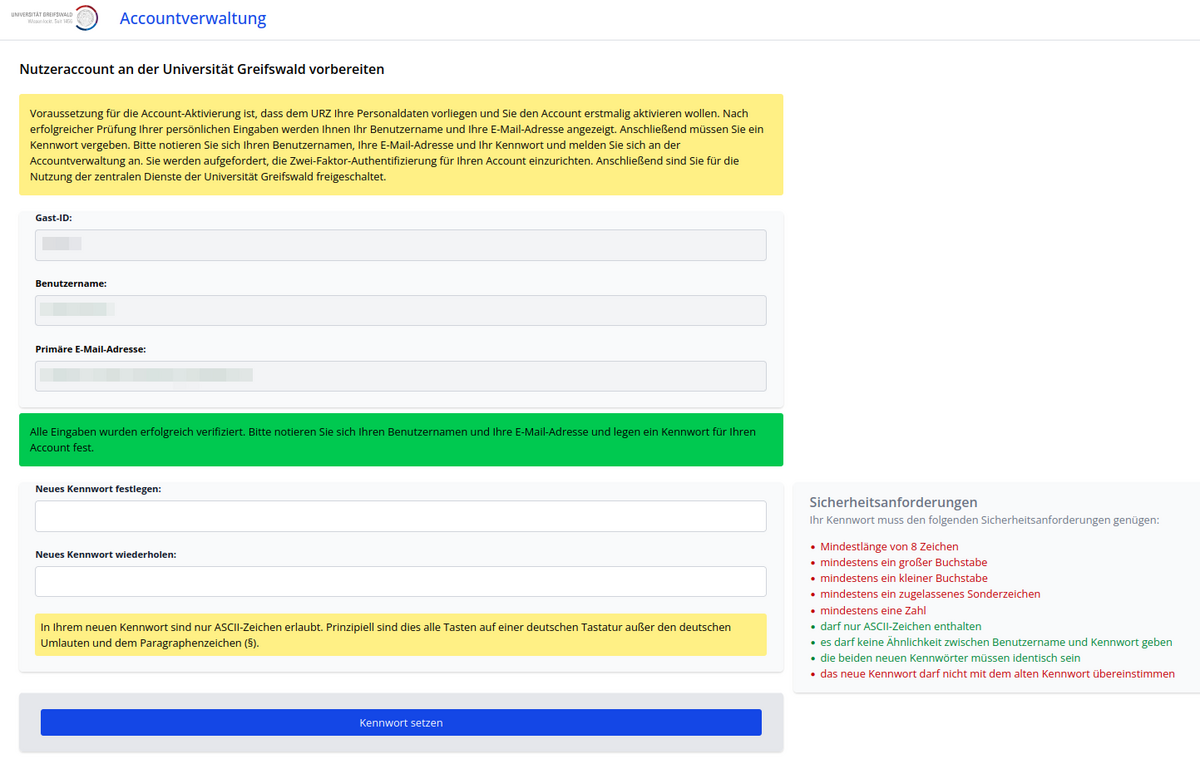
If the identity verification was successful, your username and email address will be displayed. Please make a note of these.
Set a password.
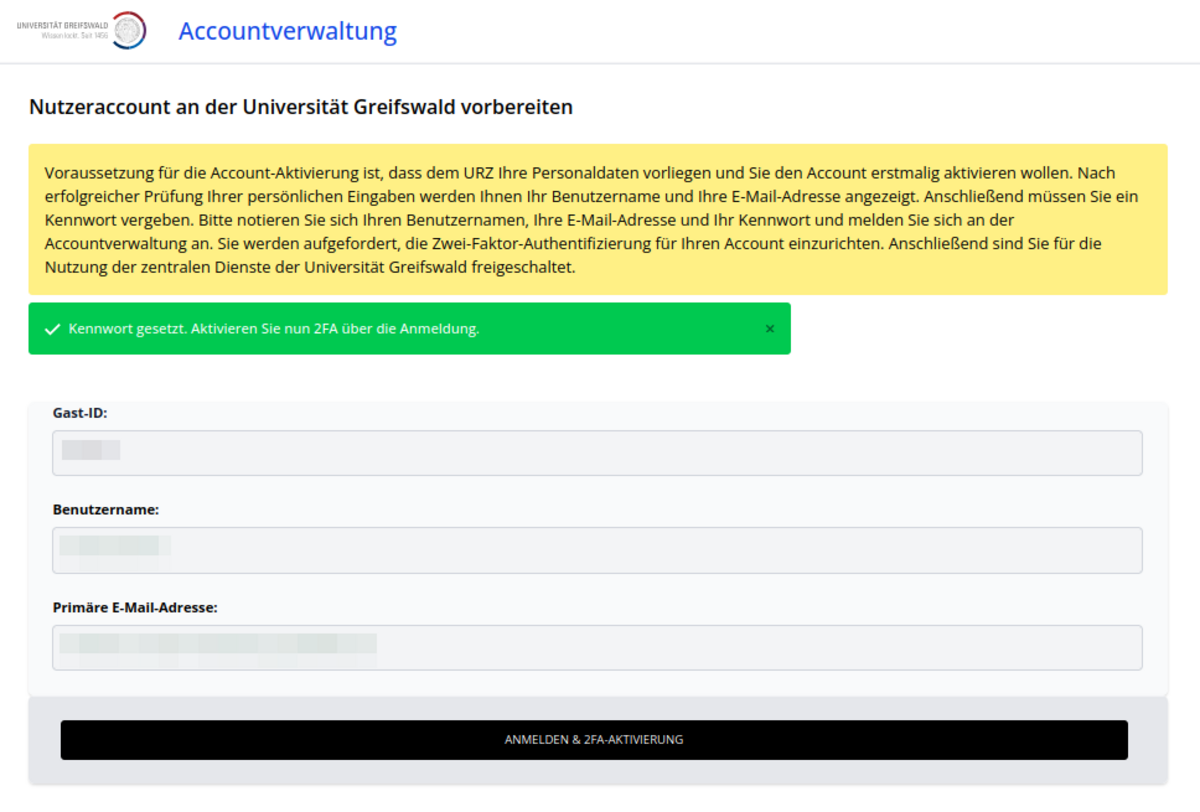
Once you have successfully set a password, click the button to go to the account management login page, where you can set up two-factor authentication. This will activate your account, and you will then be able to use it.
The URZ strongly recommends that you provide an reset mail address.